Warp Clipboard
Clipboard history for your Filament panel
Everything your team copies in the panel is remembered: the last ten copies, plus the texts they keep for later. In any field, press Ctrl+Shift+V or right-click to paste one of them. Passwords and one-time codes are never remembered, and nothing leaves the browser.
Single Project $5 · Unlimited Projects $10
1.0.0 passed all 42 setups · Nov 21, 2026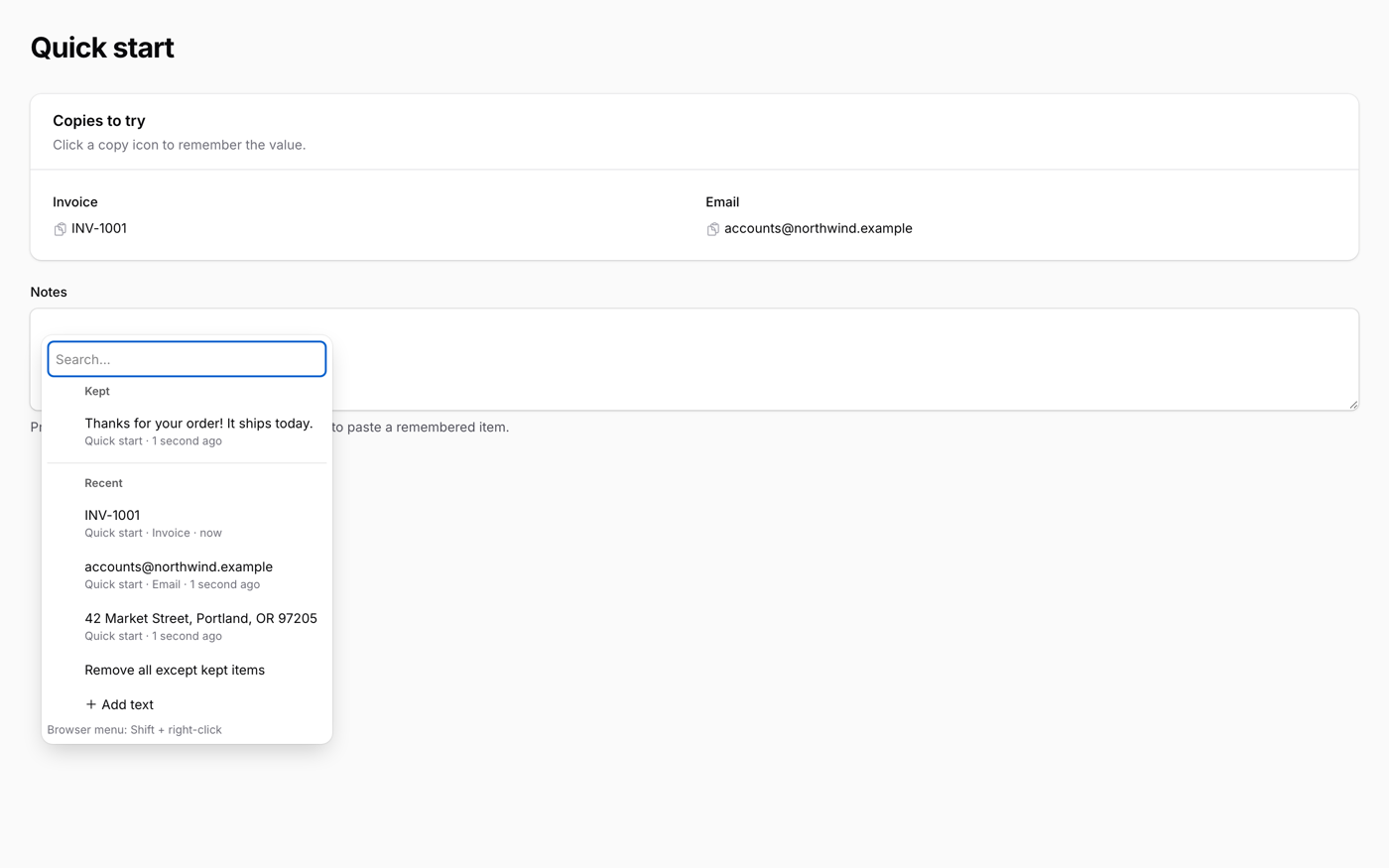
What it does
- One line on the panel; Filament's copyable() and every Ctrl+C in the panel are remembered as they are
- The last 10 copies with where they came from, and kept items that never drop off
- Add your own named texts, like a reply or an address, and paste them anywhere
- Paste with Ctrl+Shift+V or right-click in any text field; Livewire sees the change
- Password and one-time-code fields are skipped, history is stored per user and tenant in the browser only, ten languages
Watch it work
Short clips recorded in the live demo. Each one links to the page it was recorded on, so you can try it yourself.
Copy, then paste with Ctrl+Shift+V
Click the copy icon next to an invoice number, then press Ctrl+Shift+V in the Notes field. The list opens at the cursor; Enter pastes the number.
Try it in the demo →Save a reply once, paste it every day
Add text from the clipboard button, name it Thanks, and it is there in every field the next time you press Ctrl+Shift+V.
Try it in the demo →Right-click to paste, passwords stay out
Right-click the address field and pick the copied address. Copies from password, one-time-code and private fields never appear in the list.
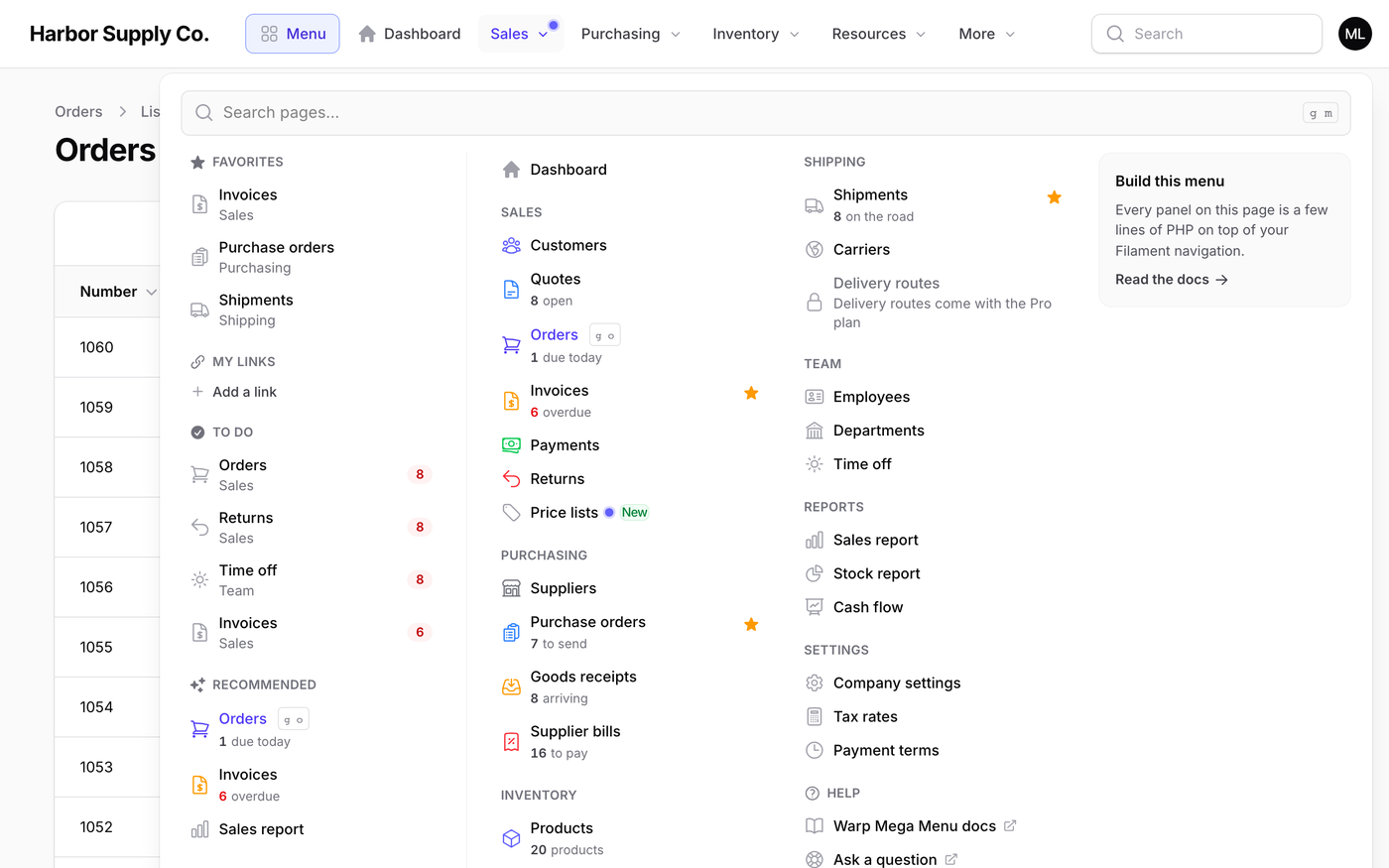
Try it in the demo →With Warp Context Menu: the clipboard in every menu
Copy cells from the right-click menu, then open Clipboard from another row to keep or copy them again without leaving the table.
Try it in the demo →In your code
// Remember copies, keep the texts you reuse, paste with Ctrl+Shift+V
$panel->plugin(WarpClipboardPlugin::make());Install
After buying, you get an email address and a license key for the private Composer repository. The full steps are in the docs.
composer config repositories.qalainau composer https://qalainau.privato.pub/composer
composer config --auth http-basic.qalainau.privato.pub "your-email" "your-license-key"
composer require qalainau/filament-warp-clipboardQuestions about Warp Clipboard
- No questions yet. Ask the first one.
More plugins
Filament + AI coding tips, by email
How to fit Warp plugins into your own app and pair them with Claude Code or Cursor: prompts that work, mistakes AI makes, real examples. Once or twice a month. Unsubscribe anytime.
Thanks! You're on the list.
