Warp Offline
Tables and forms that work without a signal
Field staff keep the records they need on the device and keep editing offline. Changes, photos and signatures are sent once the connection is back, and conflicts are settled field by field.
Single Project $49 · Unlimited Projects $99
1.1.0 passed all 42 setups · Nov 23, 2026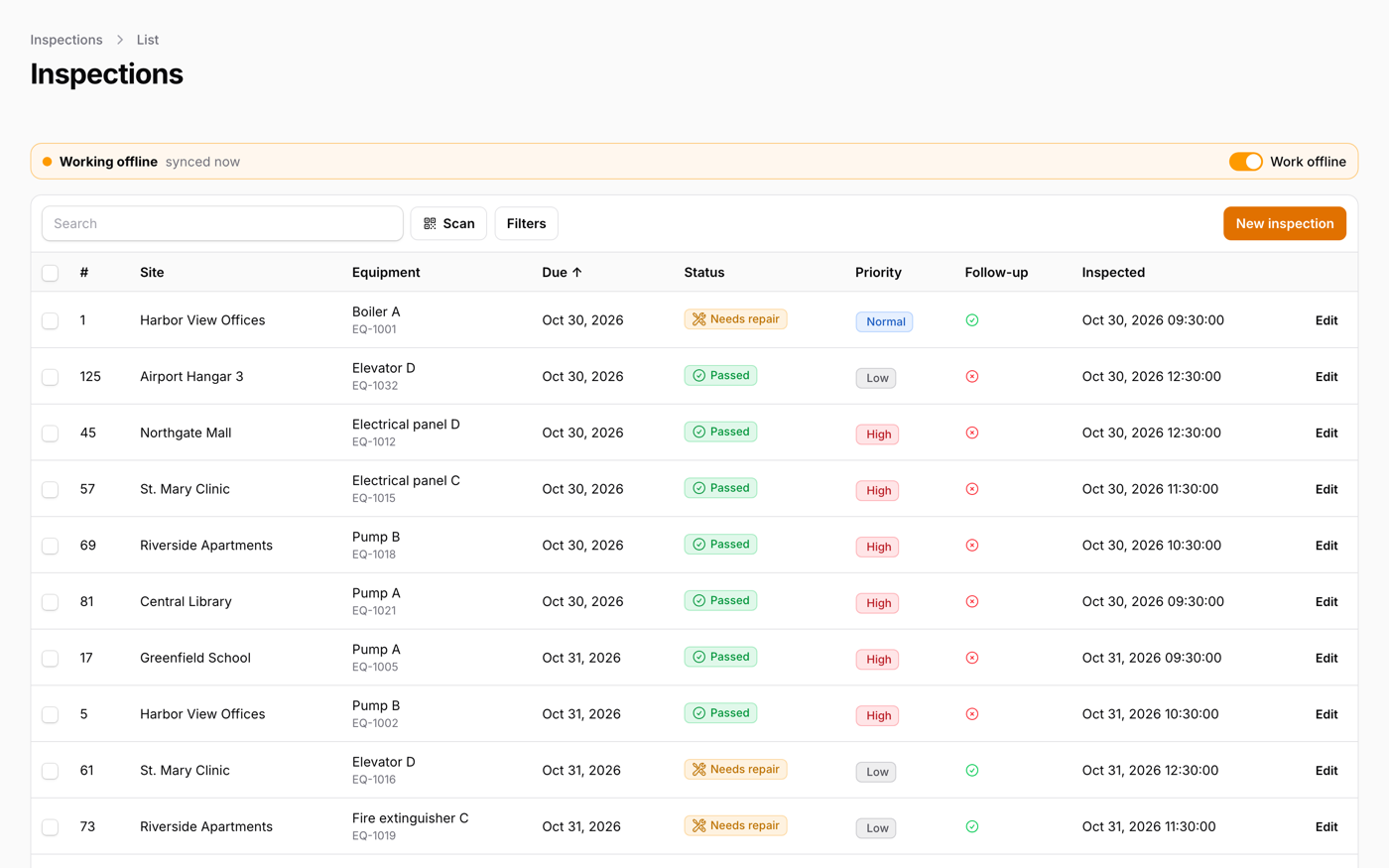
What it does
- Register a resource and its list page keeps working with no signal: your own table() and form() run on the device
- Search, sort, filter and page offline; create and edit with the same required, length and email checks, and unsaved input is kept as a draft
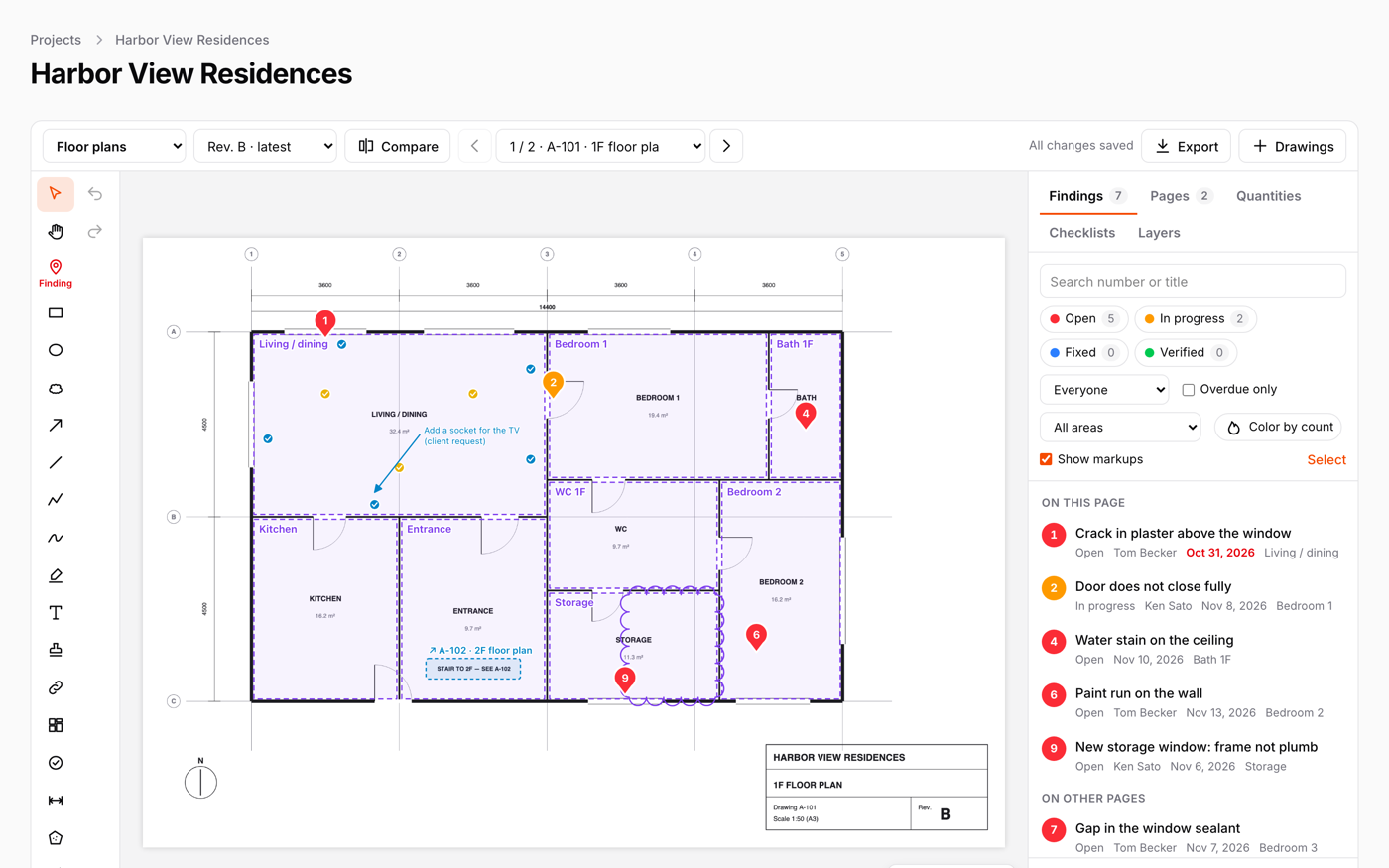
- Photos shrunk on the device, finger signatures, QR and barcode scanning, location, and inspection checklists (OK / Not OK / N/A)
- Changes are sent once and in order, conflicts are settled field by field, and policies and validation run again on the server
- An installable web app; data on the device is encrypted with an optional PIN, and an admin sees each device and can delete the data on a lost one
Watch it work
Short clips recorded in the live demo. Each one links to the page it was recorded on, so you can try it yourself.
Edit a record with no signal
Switch on Work offline, open an inspection and change it: the same form opens, saves on the device and marks the row Waiting to send. Search, sort and filters work too.
Try it in the demo →Sign with a finger, take photos, record the place
Photos, a finger signature, scanning and the GPS position all work without a connection. They wait on the device with the record.
Try it in the demo →When the office changed it too
Back online, a change to a record someone else edited is listed in Changes. Pick mine or theirs for each field, and only the fields in conflict need a choice.
Try it in the demo →A button on any page, pressed offline
Clock in with no signal: the press keeps its time. When the connection is back it arrives marked as offline, with the time it was pressed and the time it arrived.
Try it in the demo →Lock the data on the device with a PIN
Offline data is encrypted on the device. Add a PIN, lock it now, and it is deleted after five wrong tries.
Try it in the demo →In your code
// Register your resources: their table() and form() keep working without a signal
FilamentWarpOfflinePlugin::make()
    ->resources([InspectionResource::class])
->pwa(name: 'Field inspections', shortName: 'Inspections'),Install
After buying, you get an email address and a license key for the private Composer repository. The full steps are in the docs.
composer config repositories.qalainau composer https://qalainau.privato.pub/composer
composer config --auth http-basic.qalainau.privato.pub "your-email" "your-license-key"
composer require qalainau/filament-warp-offlineThen run the migrations for the plugin's own tables:
php artisan migrateQuestions about Warp Offline
- No questions yet. Ask the first one.
More plugins
Filament + AI coding tips, by email
How to fit Warp plugins into your own app and pair them with Claude Code or Cursor: prompts that work, mistakes AI makes, real examples. Once or twice a month. Unsubscribe anytime.
Thanks! You're on the list.
