Warp Scheduler
A resource scheduler for thousands of rows
Timelines, calendars and Gantt charts for people, rooms or machines, with drag and drop, recurring events and booking rules.
Single Project $99 · Unlimited Projects $199
1.17.0 passed all 42 setups · Nov 21, 2026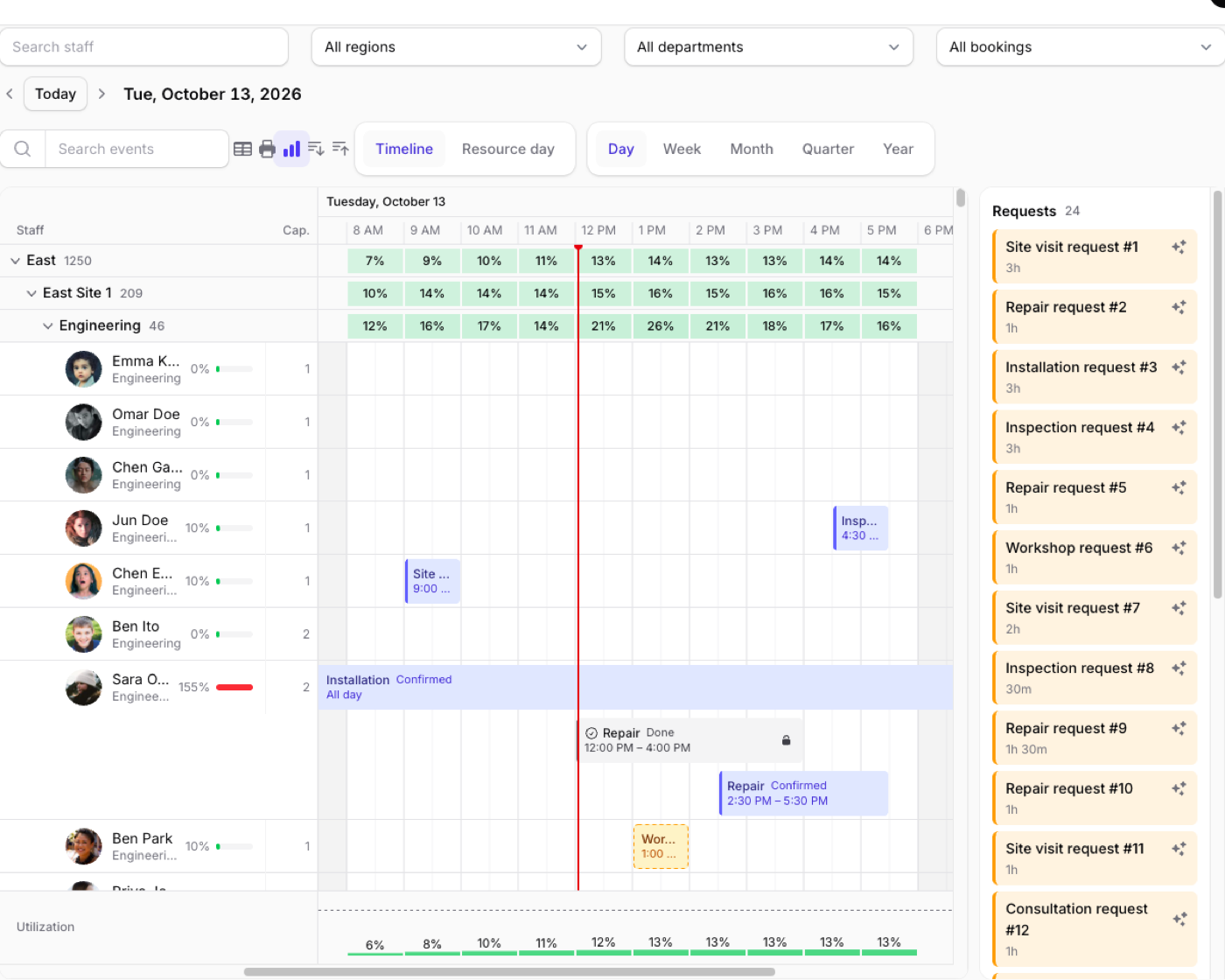
What it does
- A resource timeline (zoom from a day to a year), calendar, month and list views drawn on a canvas; the demo has 5,000 people and 200,000 bookings
- Drag to move between resources, Alt-drag to copy, resize from either edge, and move several events together
- Recurring events, business hours, holidays, blocked time and conflict checks on the server
- Gantt charts with dependencies, the critical path and baselines, utilization meters, and a kanban board
- Two-way sync with Google and Microsoft calendars, .ics import, export and subscribe links, CSV and Excel export, and printing
Watch it work
Short clips recorded in the live demo. Each one links to the page it was recorded on, so you can try it yourself.
5,000 people, 200,000 bookings
Scroll the whole board, zoom from a day to a year and fold the groups.
Try it in the demo →Drag, resize and copy
Overlaps turn red and go back, time outside working hours turns yellow, and finished jobs stay locked.
Try it in the demo →Cover a shift in one drag
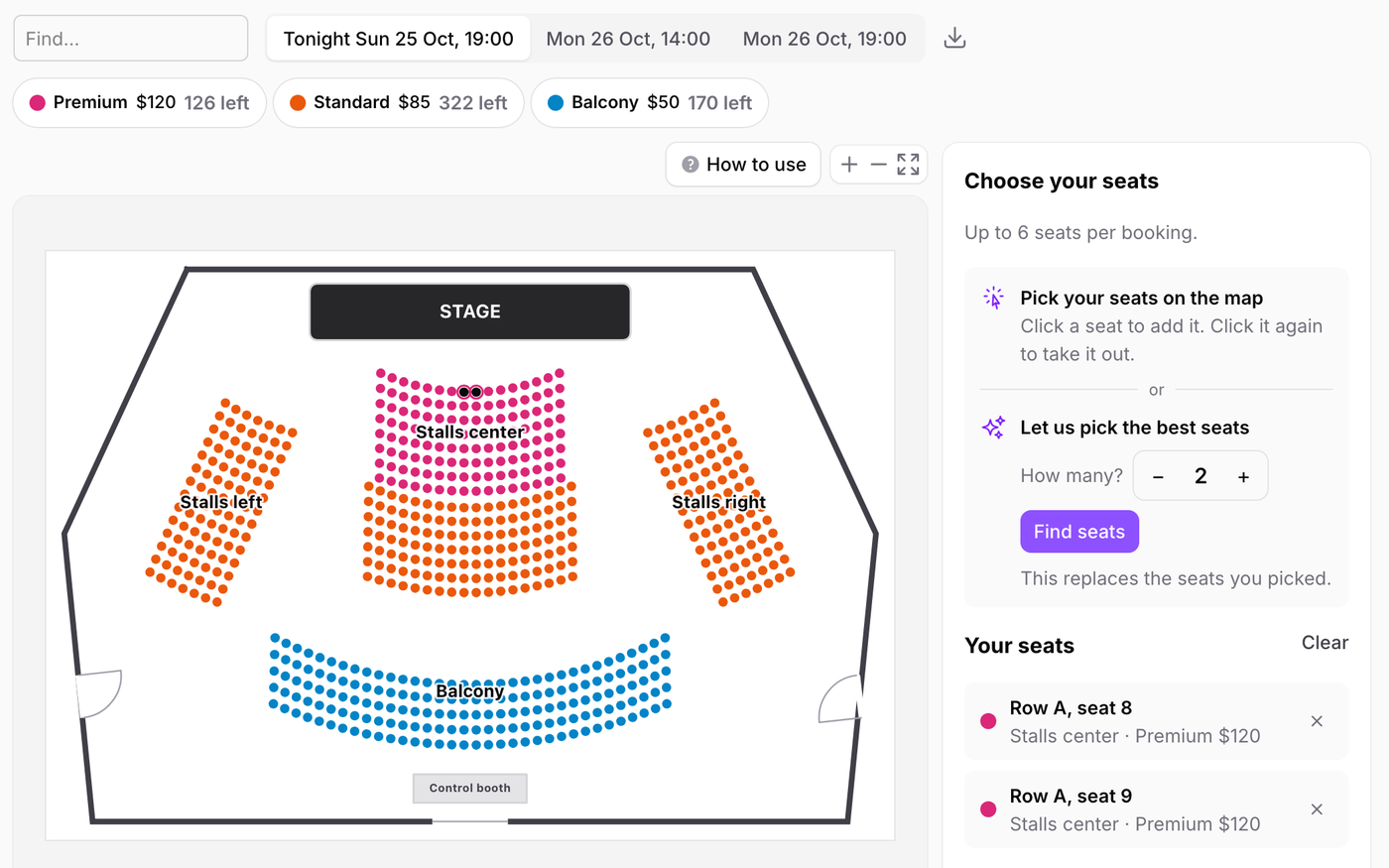
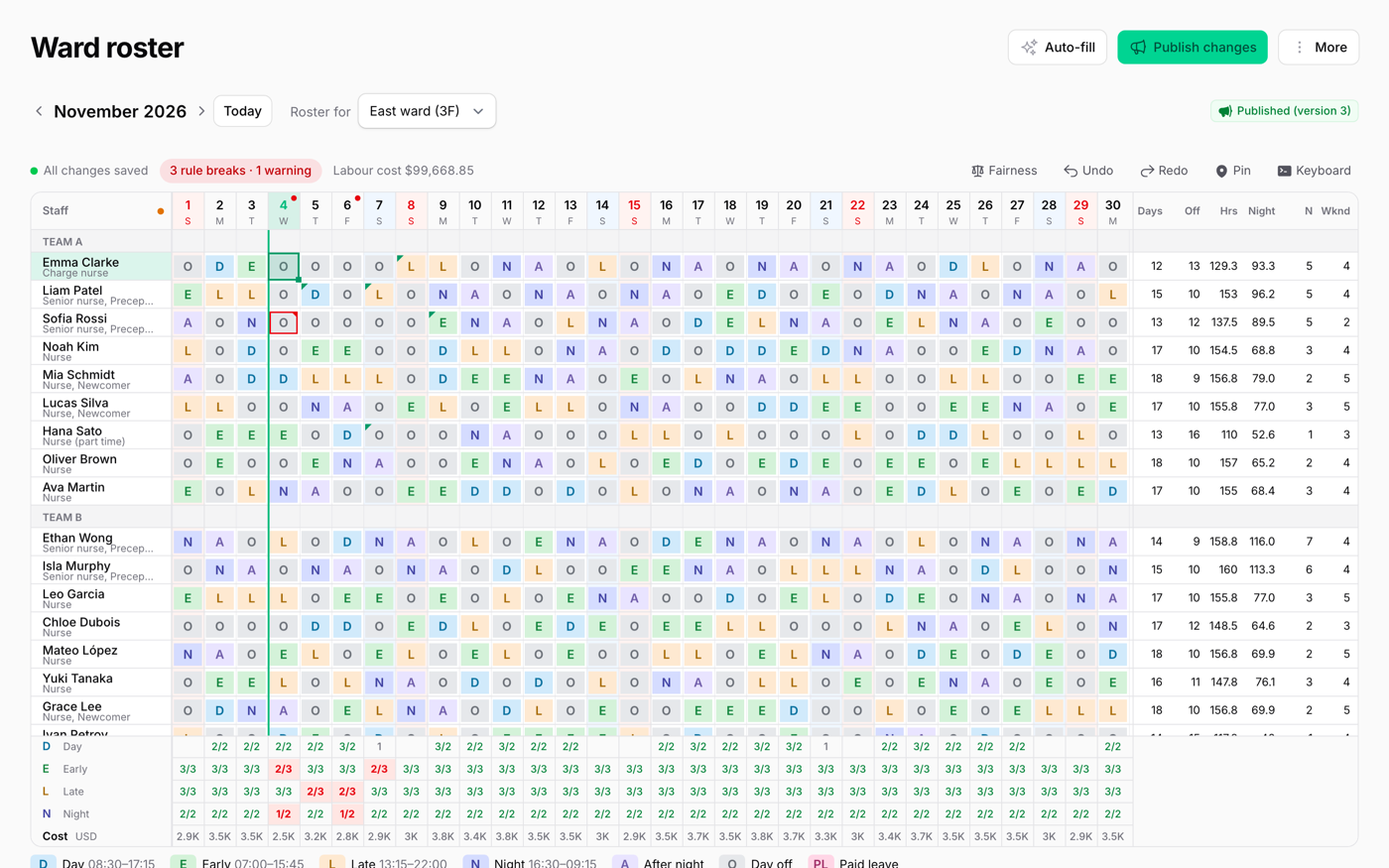
Positions in rows, shifts in the header and people in a list beside the board.
Try it in the demo →From a Filament table to the board
Drag a table row onto a technician, then hand a job to the other team's board.
Try it in the demo →Unscheduled requests
Records without a start time wait beside the board. Drag one in, or let ✨ find the first free slot.
Try it in the demo →One scheduler, every view
Twelve meeting rooms in week, month, year, list, resource and timeline views.
Try it in the demo →A Gantt chart, too
Push a task and its successors follow. Drag from the dot to link tasks, then save a baseline.
Try it in the demo →Recurring events
Select a range, fill in a Filament form and repeat it. Move one occurrence, or this and the following ones.
Try it in the demo →Filters, actions and forms
Filament filters above the board, your own actions on right-click, and dependent fields in the form.
Try it in the demo →How busy is everyone?
Booked time over available time, per person, per group and per hour.
Try it in the demo →No mouse needed
Tab, the arrow keys, Shift and the arrows, F2 and Enter move, resize, rename and open events.
Try it in the demo →Select several, move them together
Cmd/Ctrl+click, drag one and they all move. Copy and paste them somewhere else.
Try it in the demo →On a phone
Calendars switch to a list. The 5,000-person timeline scrolls with a swipe, and a long press drags.
Try it in the demo →Dark mode and right to left
The canvas follows Filament's theme and colors, and mirrors itself on RTL pages.
Try it in the demo →In your code
// A page of the panel
class StaffSchedule extends SchedulerPage
{
    public function scheduler(Scheduler $scheduler): Scheduler
    {
        return $scheduler
            ->resources(Staff::class)
            ->groupResourcesBy(['region', 'department'])
            ->events([
                EventSource::make(Booking::class)
                    ->resource('staff_id')
                    ->start('starts_at')
                    ->end('ends_at')
                    ->title('title'),
            ]);
    }
}Install
After buying, you get an email address and a license key for the private Composer repository. The full steps are in the docs.
composer config repositories.qalainau composer https://qalainau.privato.pub/composer
composer config --auth http-basic.qalainau.privato.pub "your-email" "your-license-key"
composer require qalainau/filament-warp-schedulerThen run the migrations for the plugin's own tables:
php artisan migrateQuestions about Warp Scheduler
- No questions yet. Ask the first one.
More plugins
Filament + AI coding tips, by email
How to fit Warp plugins into your own app and pair them with Claude Code or Cursor: prompts that work, mistakes AI makes, real examples. Once or twice a month. Unsubscribe anytime.
Thanks! You're on the list.
