Warp Sheet
A spreadsheet for your resources
Scroll through every record without pagination, paste from Excel and save all changes at once, checked by your policies and validation rules.
Single Project $69 · Unlimited Projects $149
1.11.1 passed all 42 setups · Nov 20, 2026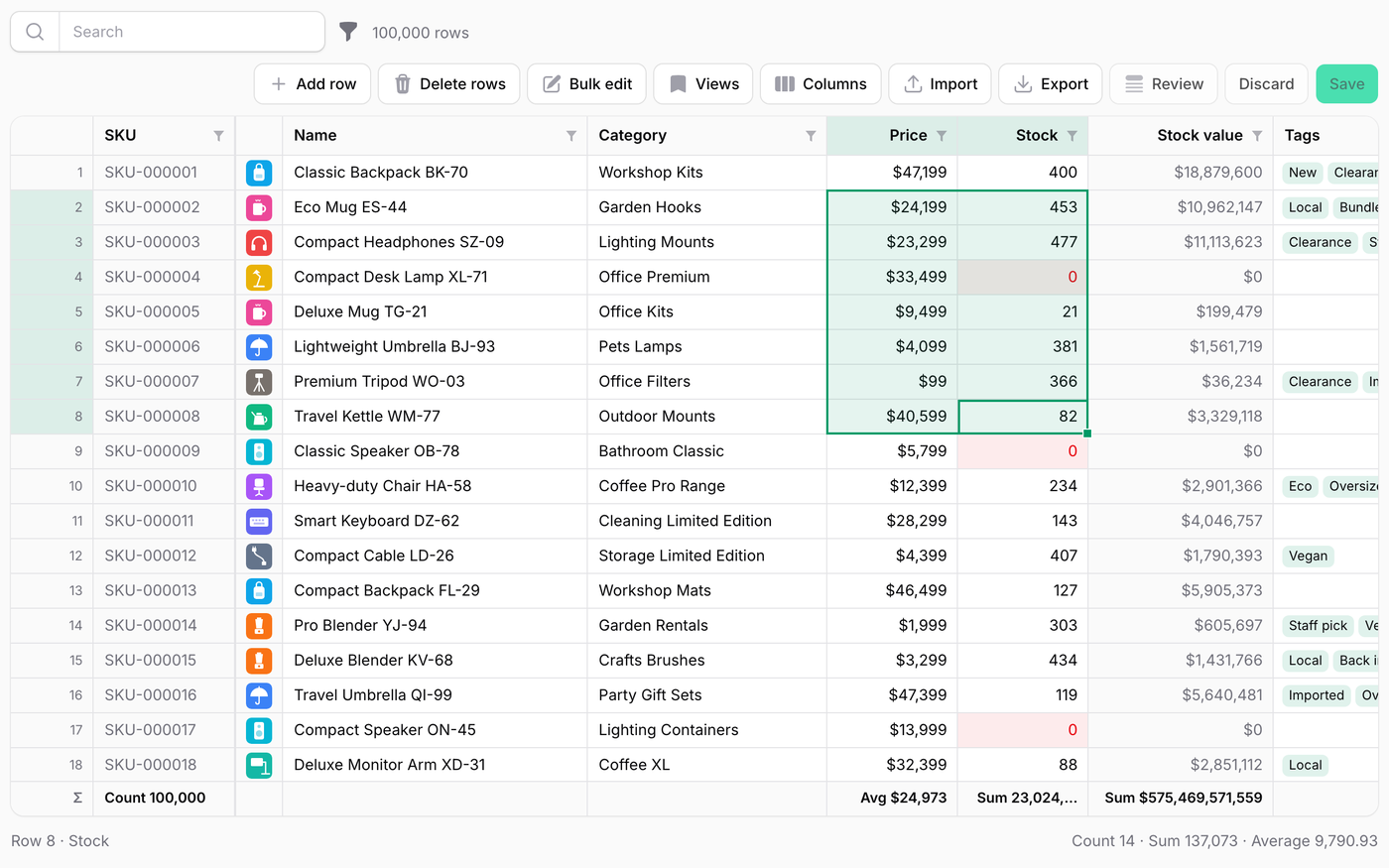
What it does
- Scroll through every record without pagination (the demo has 100,000 products), with sorting, search and filters
- Spreadsheet editing: a cell cursor, a fill handle, undo and redo, frozen columns, and the count, sum and average of the selection
- Paste from Excel, Numbers or Google Sheets: numbers, dates and the labels of selects are understood
- One save, all or nothing: every record is checked against your policies and column rules in one transaction
- Conflict detection, a review panel of unsaved changes, cell notes, saved views, and grouping with subtotals
Watch it work
Short clips recorded in the live demo. Each one links to the page it was recorded on, so you can try it yourself.
100,000 rows, no pages
Scroll, jump to the last row, sort on the server and select a range to see its sum.
Try it in the demo →Paste from Excel
Paste a block of cells, fill down with Cmd/Ctrl+D, review the changes and save them all at once.
Try it in the demo →All or nothing
Nothing is written until every record passes; the cells to fix are marked with the reason below.
Try it in the demo →Someone saved first
The same column stops and shows you, other columns are merged instead of overwritten.
Try it in the demo →Selects with 2,000 options
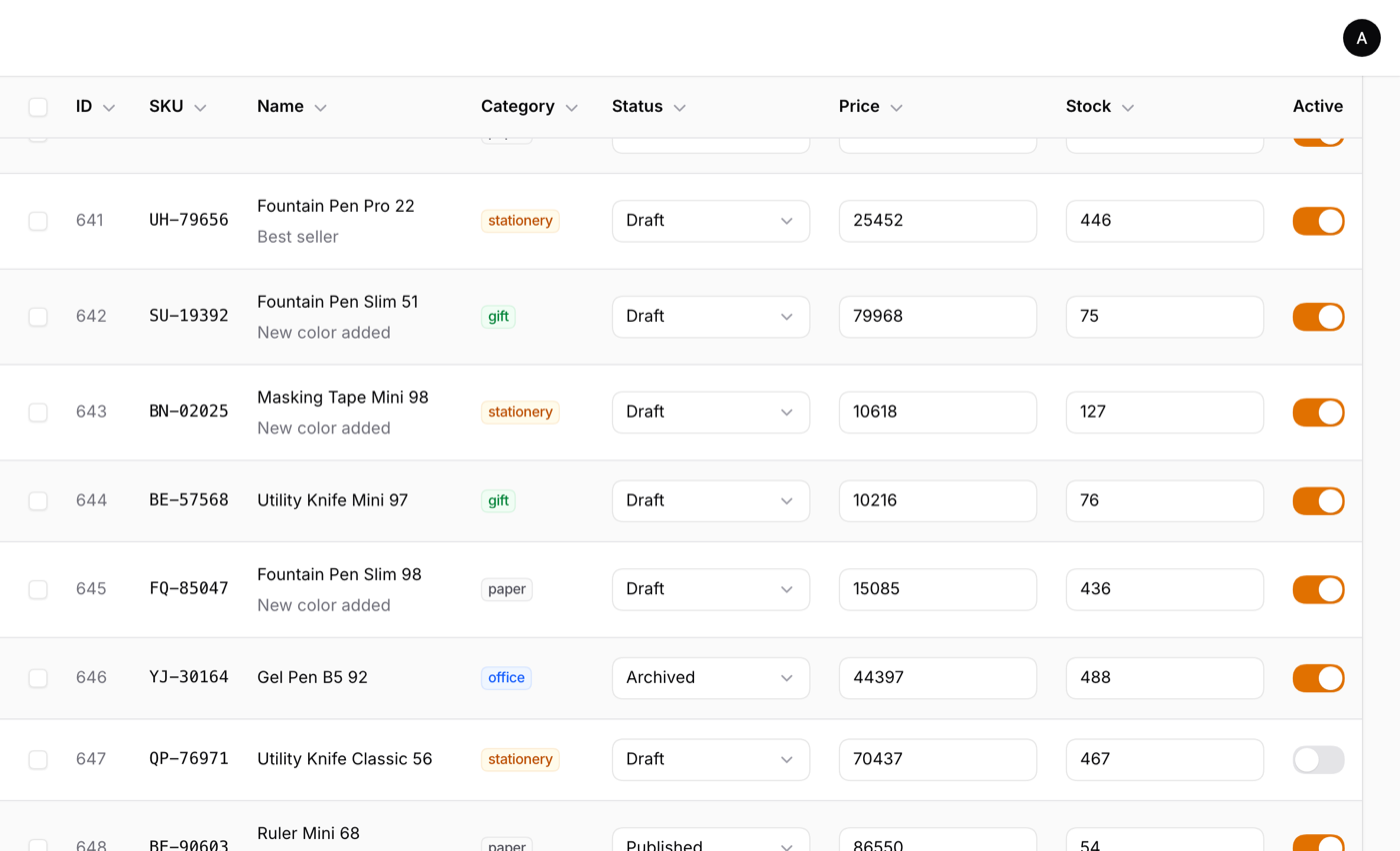
Type in the cell and the relationship is searched on the server; enums open as a short list.
Try it in the demo →A stock count
Only the stock is editable: type or paste the counts, and an afterSave() hook records each one.
Try it in the demo →Grouping, in dark mode
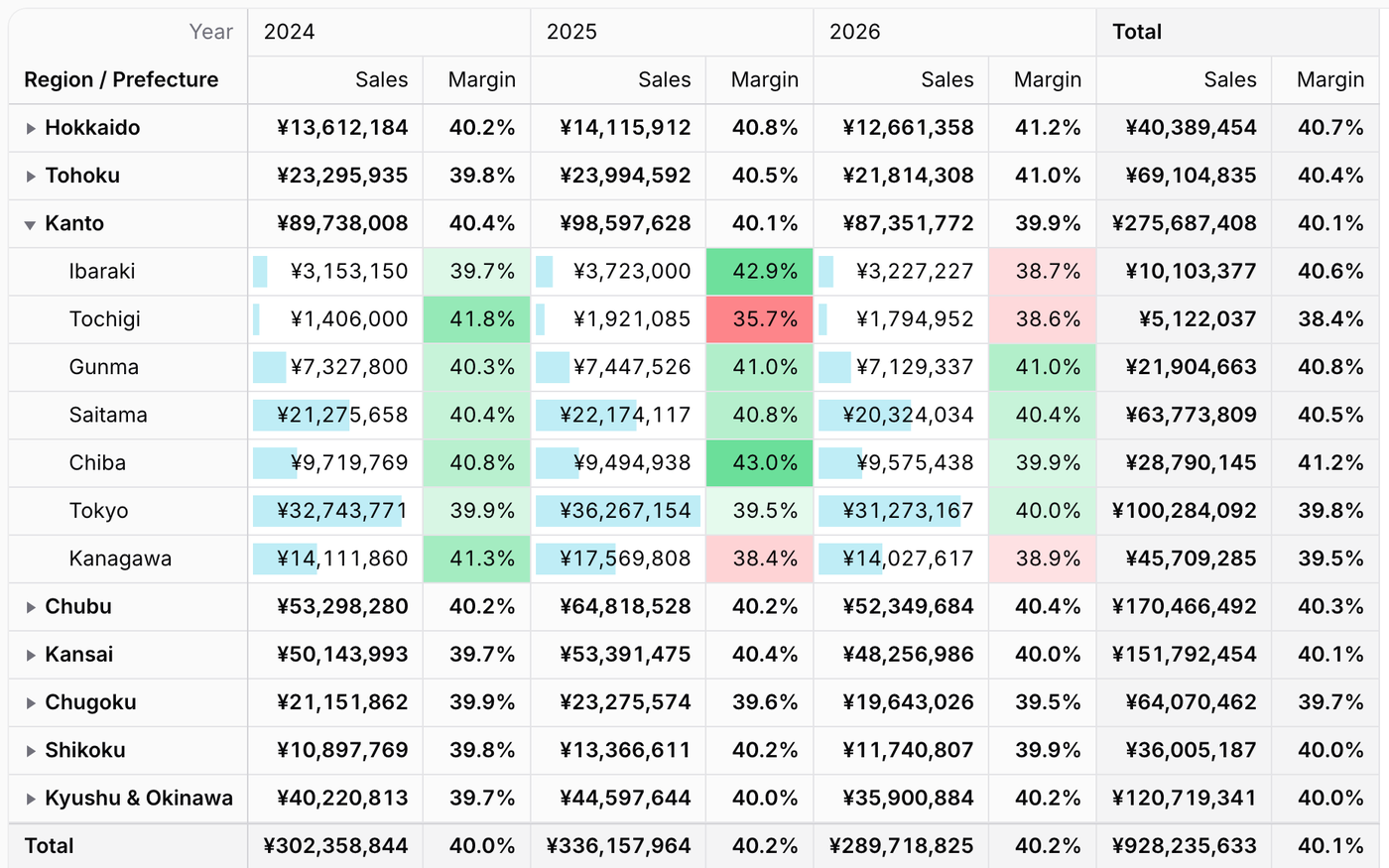
Group by a column for counts and subtotals per group, collapse them all and open just one.
Try it in the demo →In your code
// A page of the resource
class EditProductsSheet extends SheetPage
{
    protected static string $resource = ProductResource::class;

    public function sheet(Sheet $sheet): Sheet
    {
        return $sheet
            ->columns([
                Columns\Text::make('sku')->readOnly()->frozen(),
                Columns\Text::make('name')->rules(['required', 'max:255']),
                Columns\Number::make('price')->decimals(0)->rules(['required', 'integer', 'min:0']),
                Columns\Select::make('category_id')->relationship('category', 'name'),
            ])
            ->creatable()
            ->deletable();
    }
}Install
After buying, you get an email address and a license key for the private Composer repository. The full steps are in the docs.
composer config repositories.qalainau composer https://qalainau.privato.pub/composer
composer config --auth http-basic.qalainau.privato.pub "your-email" "your-license-key"
composer require qalainau/filament-warp-sheetThen run the migrations for the plugin's own tables:
php artisan migrateQuestions about Warp Sheet
- No questions yet. Ask the first one.
More plugins
Filament + AI coding tips, by email
How to fit Warp plugins into your own app and pair them with Claude Code or Cursor: prompts that work, mistakes AI makes, real examples. Once or twice a month. Unsubscribe anytime.
Thanks! You're on the list.
