Warp Shift
Monthly shift rosters you type like a spreadsheet
Type shift codes with the keyboard and see shortages and rule breaks as you type, then auto-fill a draft, publish it and let staff swap shifts and ask for cover.
Single Project $99 · Unlimited Projects $199
1.6.1 passed all 42 setups · Nov 20, 2026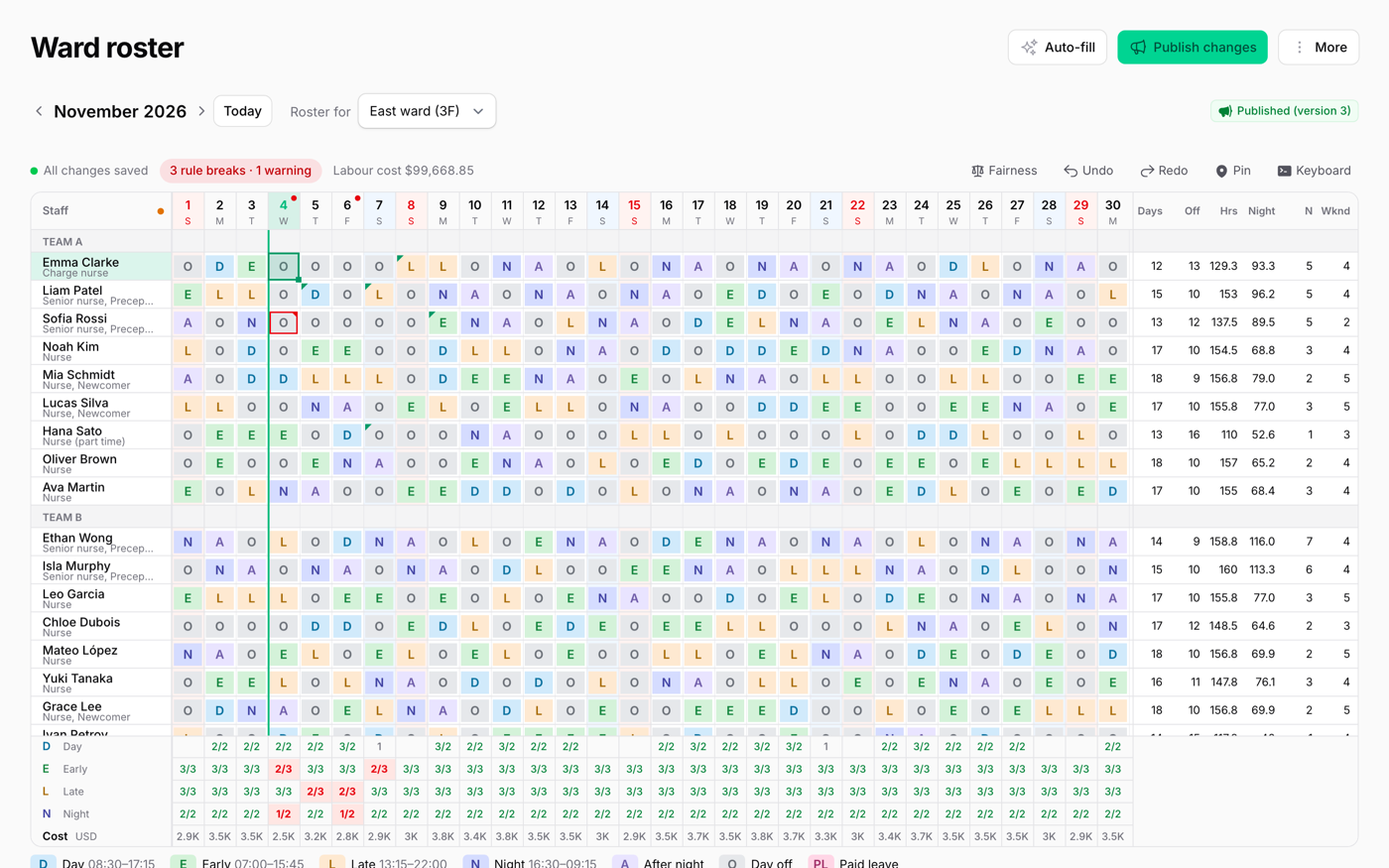
What it does
- A monthly roster on a canvas: names, days and totals stay in place, weekends and holidays are shaded, and phones get their own layout
- Type a shift by its code or label, copy and paste to and from Excel, use the fill handle and undo; cells save by themselves and conflicts are found per cell
- Rules: consecutive days, rest hours between shifts, days off, required skills and overtime limits
- Auto-fill that shares nights and weekends fairly, three drafts to compare, and "Why this person?" for every choice
- Staff requests with a deadline, labour cost against a budget, a comparison with clock-in times, and roster import from Excel or CSV
Watch it work
Short clips recorded in the live demo. Each one links to the page it was recorded on, so you can try it yourself.
Type shifts like a spreadsheet
Type E, L and N into an empty month. Shortages under each day and rule breaks, such as six days in a row, turn red as you type, with the reason.
Try it in the demo →Auto-fill, then compare drafts
Ask for three drafts, compare rule breaks, requests kept, fairness and cost, and pick one. Right-click a shift to see why that person is on it.
Try it in the demo →Staff ask for cover, you approve
A nurse asks for cover in My shifts, a colleague who is off takes it, and the head nurse approves. The roster changes for both.
Try it in the demo →Hourly shifts for shops and cafés
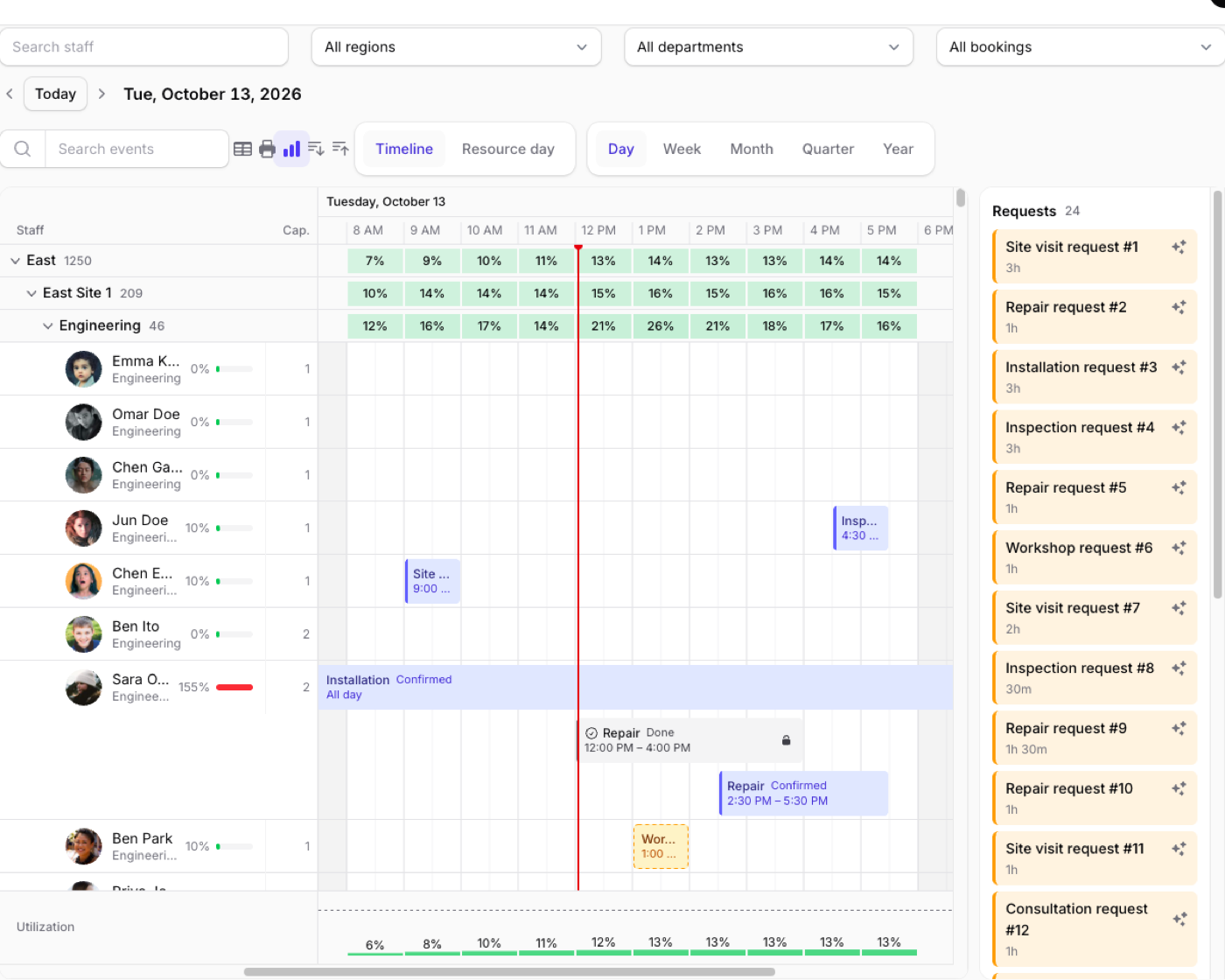
Type 10-15, or a split shift like 10-14,17-21. Hours someone cannot work turn red; drag a bar in the day view and the labour cost follows.
Try it in the demo →Sites on a shift
Four sites with only two shift codes: put a site on a shift with Shift + F3 and see at once which site is short.
Try it in the demo →Clock-ins next to the plan
The plan and the clock-in in one cell: late arrivals, missing clock-ins and work on a day off are coloured, with the reason.
Try it in the demo →In your code
// A page of the panel
class WardRoster extends ShiftRoster
{
    public static function roster(Roster $roster): Roster
    {
        return $roster
            ->staff(Nurse::class)
            ->groupStaffBy('team')
            ->rules([
                MaxConsecutiveDays::make(5),
                MinDaysOff::make(9),
            ]);
    }
}Install
After buying, you get an email address and a license key for the private Composer repository. The full steps are in the docs.
composer config repositories.qalainau composer https://qalainau.privato.pub/composer
composer config --auth http-basic.qalainau.privato.pub "your-email" "your-license-key"
composer require qalainau/filament-warp-shiftThen run the migrations for the plugin's own tables:
php artisan migrateQuestions about Warp Shift
- No questions yet. Ask the first one.
More plugins
Filament + AI coding tips, by email
How to fit Warp plugins into your own app and pair them with Claude Code or Cursor: prompts that work, mistakes AI makes, real examples. Once or twice a month. Unsubscribe anytime.
Thanks! You're on the list.
