Warp Split View
The list and the record side by side
Like a mail app: the table of a resource stays on the left and the View or Edit page you already wrote opens on the right. One line on the List page; header actions, relation managers and saving keep working.
Single Project $29 · Unlimited Projects $59
1.0.3 passed all 42 setups · Nov 20, 2026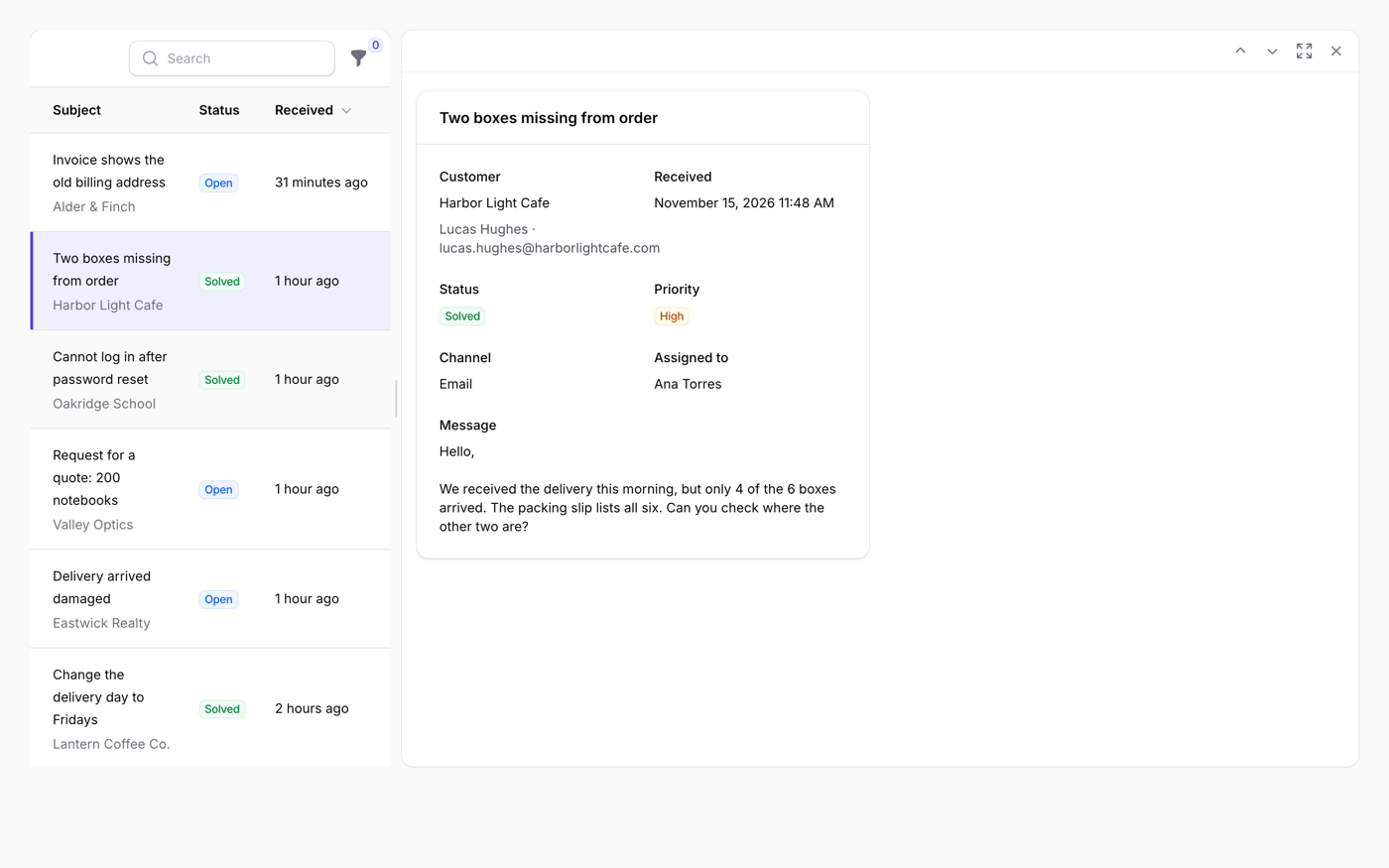
What it does
- The table stays on the left, and the View or Edit page of the row you click opens on the right
- The pages on the right are the ones you already wrote: header actions, modals, relation managers and form hooks keep working
- The address keeps the state (?record=12&pane=edit), and Ctrl/Cmd-click still opens the record in a new tab
- Optional: "New" opens its form in the pane, the first row is selected on load, side by side or stacked, and a divider people drag
- No migration and no table; it follows your permissions and tenancy
Watch it work
Short clips recorded in the live demo. Each one links to the page it was recorded on, so you can try it yourself.
A list like a mail app
Click a ticket and its own View page opens on the right. Click another, or move through them with the arrow keys.
Try it in the demo →Edit and save without leaving the list
The Edit page opens beside the table. Change the subject and save: the row on the left changes at once. Then go on to the next ticket.
Try it in the demo →Create a record in the pane
New ticket opens an empty form on the right. Fill it in and create: the ticket appears in the list and stays open.
Try it in the demo →A divider you can drag
Drag the divider to give the list or the record more room. Reload the page: the width you chose is kept.
Try it in the demo →One column on a narrow screen
On a narrow window the list comes first. Click a ticket and it fills the screen; Back to list takes you back.
Try it in the demo →Panes of anything with Splitter
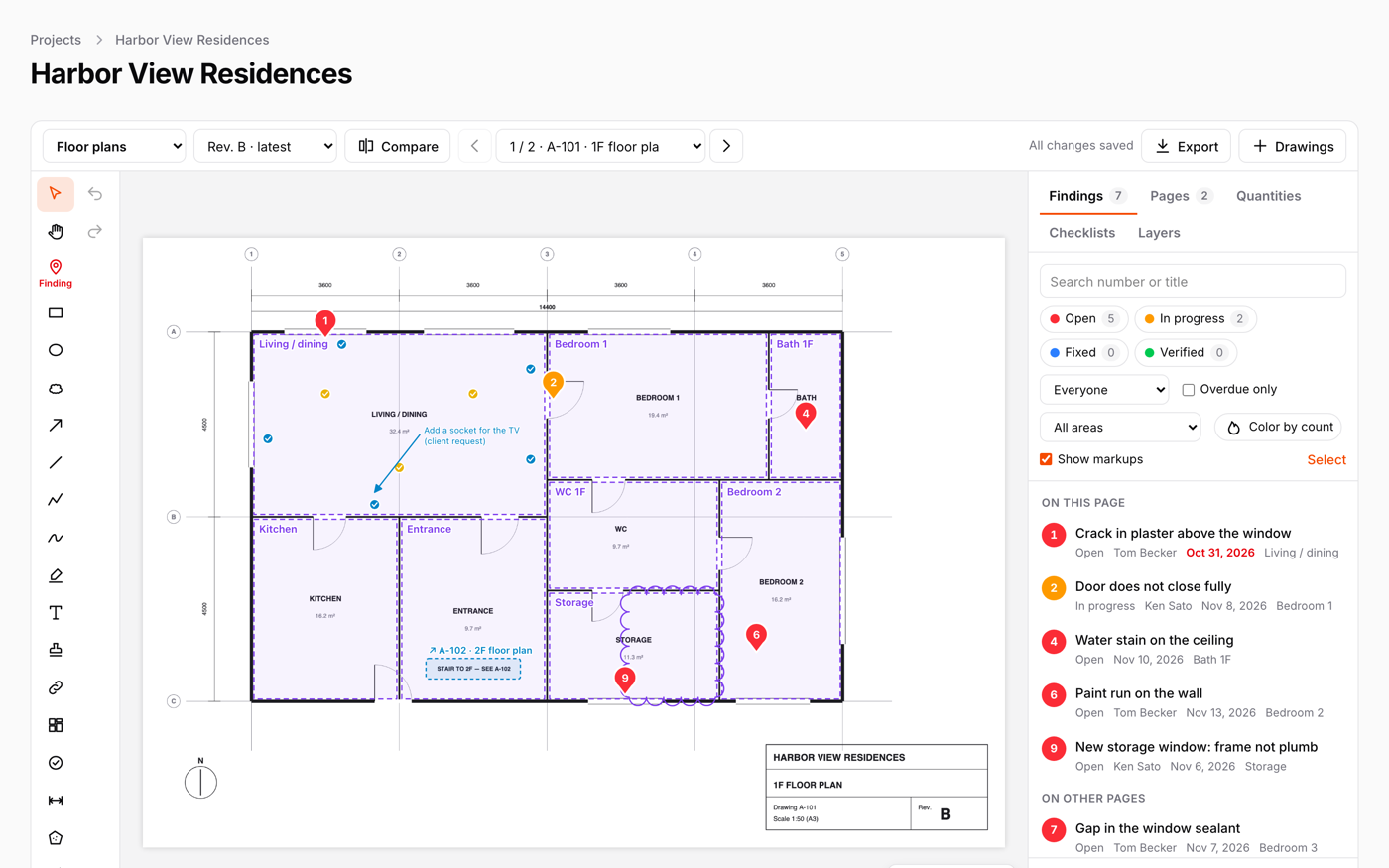
Five panes nested in each other, each one with a divider you can drag. Not only lists: any part of a page.
Try it in the demo →In your code
// In the List page
class ListCustomers extends ListRecords
{
    use HasSplitView;

    protected static string $resource = CustomerResource::class;
}Install
After buying, you get an email address and a license key for the private Composer repository. The full steps are in the docs.
composer config repositories.qalainau composer https://qalainau.privato.pub/composer
composer config --auth http-basic.qalainau.privato.pub "your-email" "your-license-key"
composer require qalainau/filament-warp-splitviewQuestions about Warp Split View
- No questions yet. Ask the first one.
More plugins
Filament + AI coding tips, by email
How to fit Warp plugins into your own app and pair them with Claude Code or Cursor: prompts that work, mistakes AI makes, real examples. Once or twice a month. Unsubscribe anytime.
Thanks! You're on the list.
