Stop duplicate customers in a Filament form before they are saved
A customer calls to place an order. Whoever answers does not find them in the list straight away, so they click "New customer" and type the details again. A month later there are two "Bayside Grocers": one with orders@baysidegrocers.com and +16175550142, the other with ORDERS@BaysideGrocers.com and (617) 555-0142. Their orders are split, their invoices go to two records, and someone has to merge them by hand.
A unique rule does not catch this. The values are written differently, so the database sees two different strings. And even when it does catch it, the person only learns about it after pressing Save, with no way to reach the customer who is already there.
This article shows the same customer form with Warp Input: when the person leaves the email or phone field, the form says that a customer already has it, names them, and links to them. All pictures come from the live demo.
The scene: a new customer who is not new
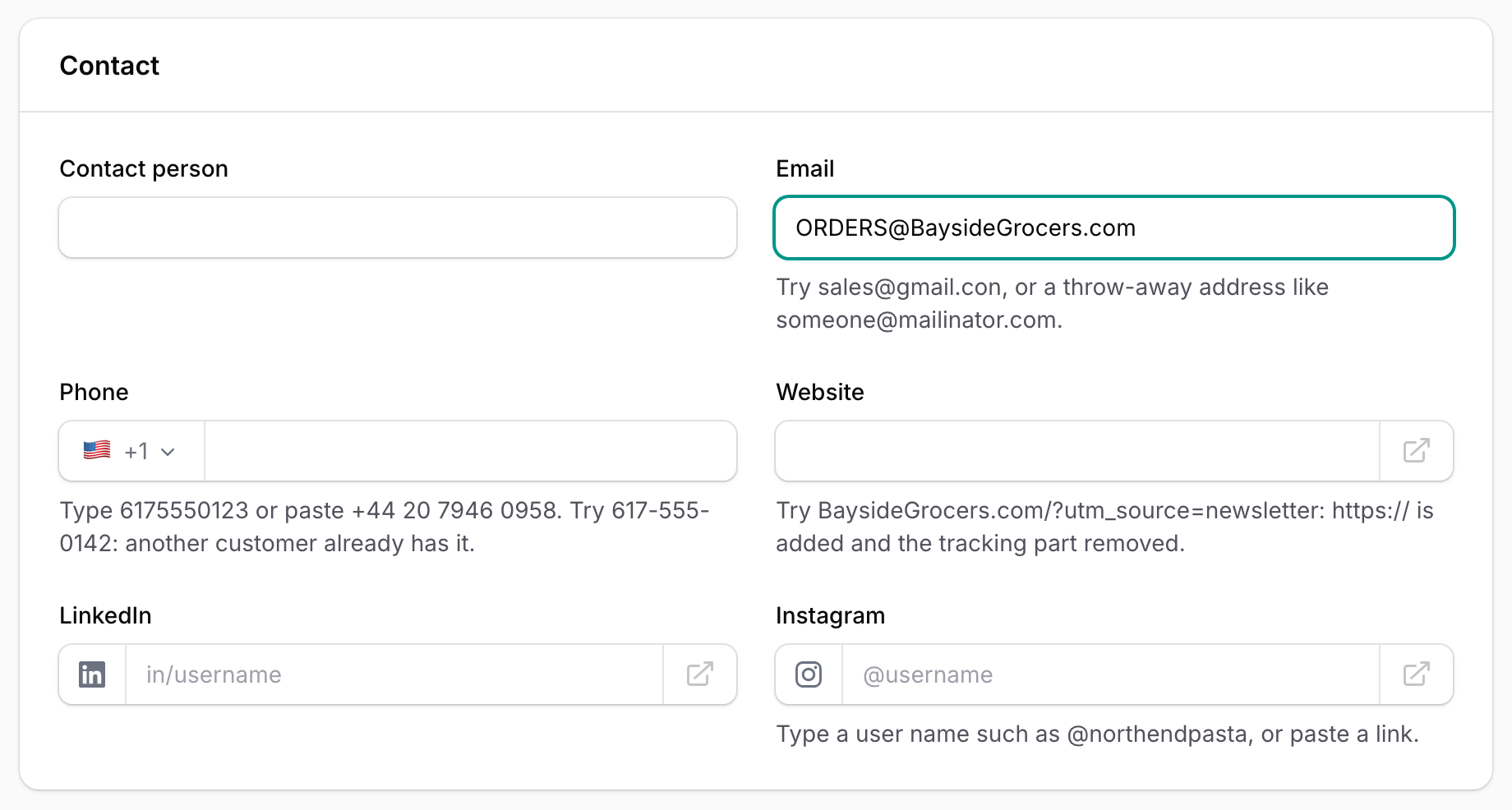
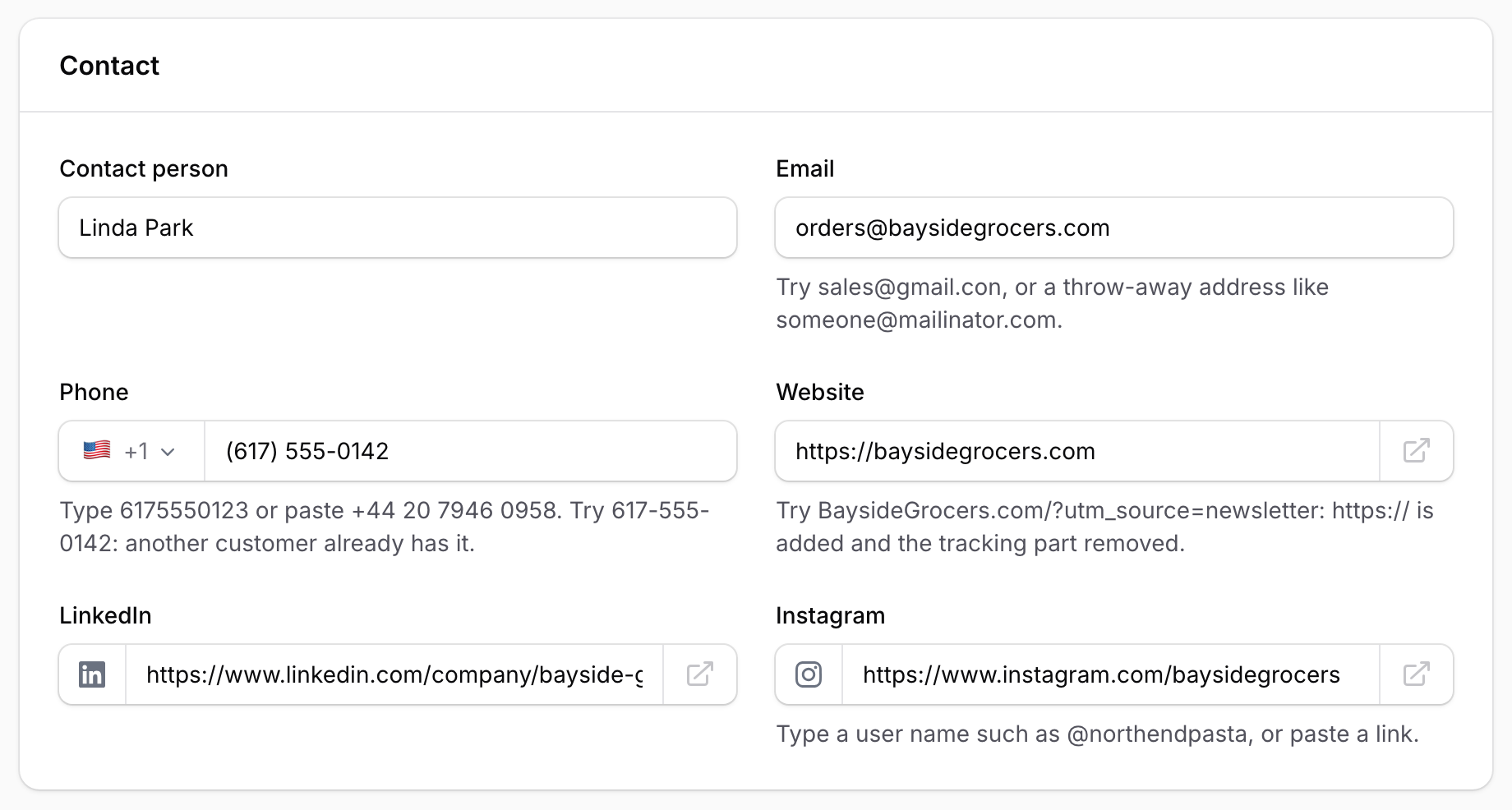
This is the "Contact" section of the customer form. The email has just been typed, with capitals, and the cursor is still in the field.
Step 1: the email and phone fields
The form uses Warp Input's EmailInput and PhoneInput in place of Filament's TextInput, and asks both to look for duplicates in the Customer model.
use App\Models\Customer;
use Filament\Forms\Components\TextInput;
use Qalainau\FilamentWarpInput\Forms\EmailInput;
use Qalainau\FilamentWarpInput\Forms\PhoneInput;

TextInput::make('name')->required(),

EmailInput::make('email')
    ->warnDuplicates(Customer::class),

PhoneInput::make('phone')
    ->warnDuplicates(Customer::class),
That is all. The name shown in the warning and the "Open" link come from your resource: its record title ($recordTitleAttribute) and its edit page, or its view page, when the user may open the record.
Step 2: leave the field
When the person moves on to the next field, the form searches once and shows the warning under the field.
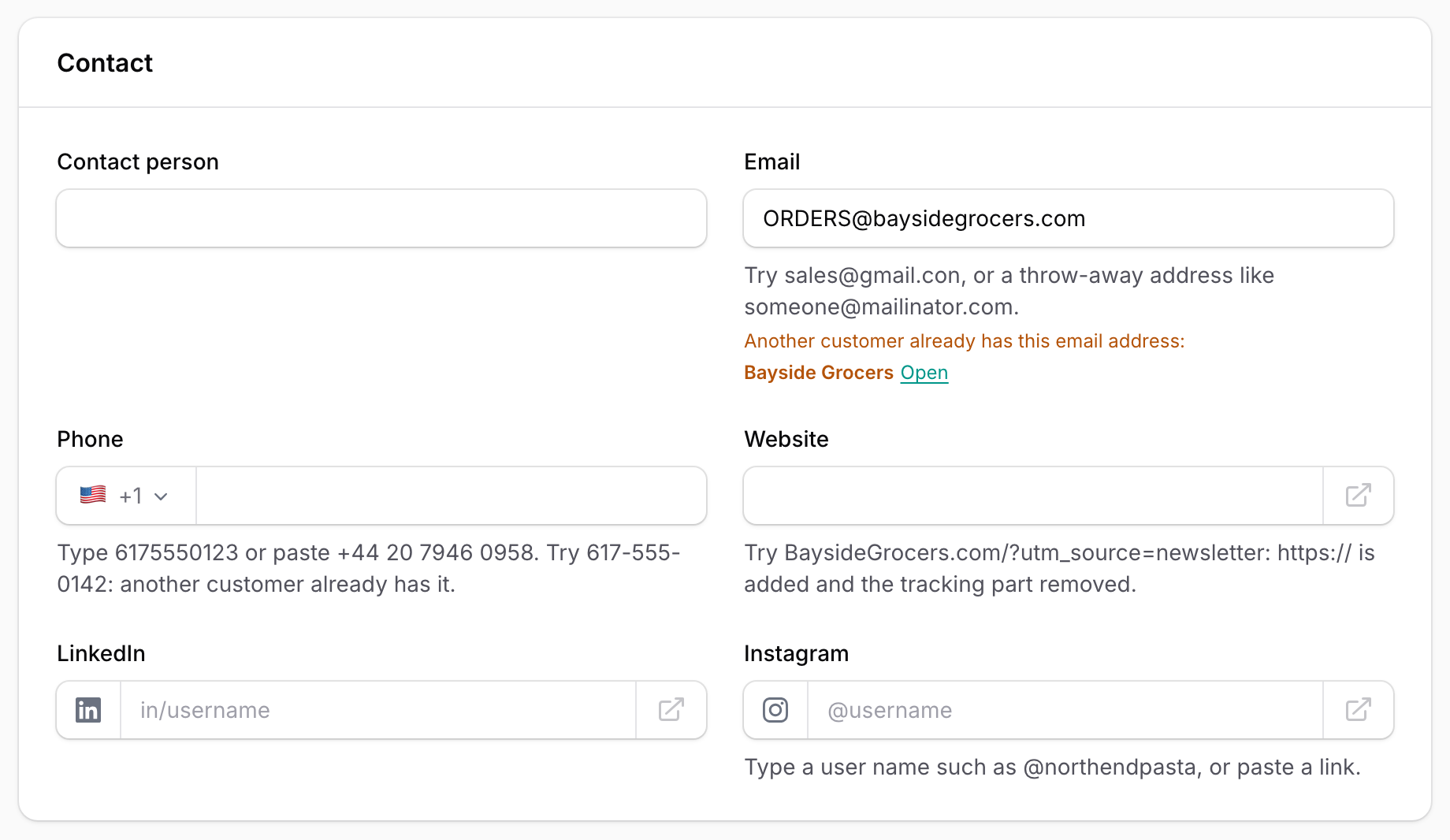
Why they match:
- Email addresses are compared without regard to case, on every database (
lower(column) = ?), because older rows may have been saved with capitals. - Phone numbers go through the field's own saving step first.
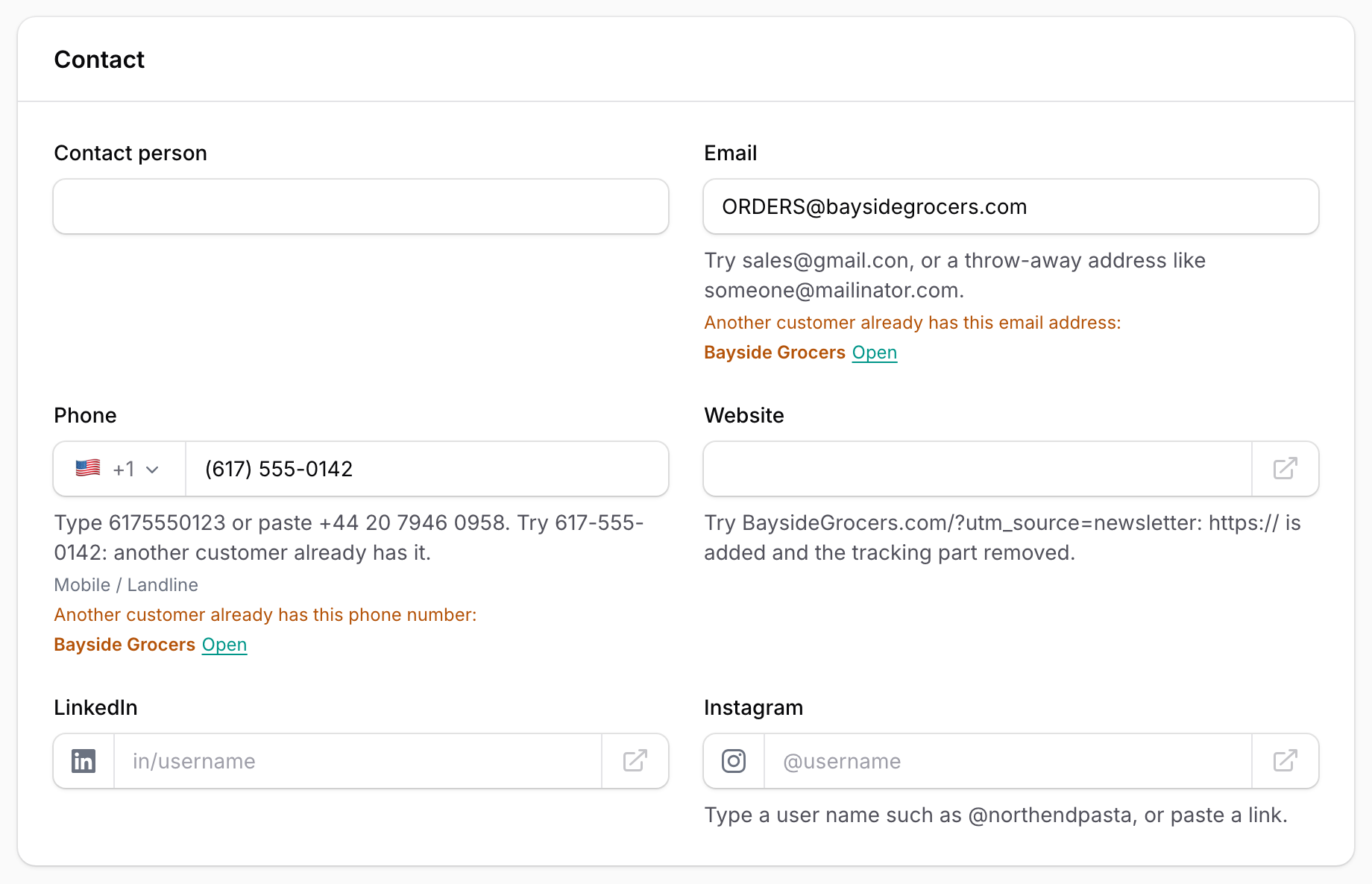
(617) 555-0142with the US flag becomes+16175550142, which is how the existing customer was saved. A Japanese090ー1234ー5678with full-width digits matches a saved+819012345678the same way.
Step 3: open the customer who is already there
"Open" opens the existing customer in a new tab, so the half-filled form is not lost. The person checks the record, closes the new form, and takes the order on the right customer.
It is a warning, not a wall
The form still saves. Two customers can share a phone number (two branches with one switchboard), so the decision stays with the person. When a duplicate must never be saved, add Laravel's rule as well:
EmailInput::make('email')
    ->warnDuplicates(Customer::class)
    ->unique(Customer::class, 'email', ignoreRecord: true),
Narrow the search
warnDuplicates() takes a few named arguments when the defaults do not fit:
EmailInput::make('email')
    ->warnDuplicates(
        Customer::class,
        'email',
        label: fn (Customer $record): string => $record->name,
        query: fn (Builder $query): Builder => $query->whereNull('archived_at'),
    ),
query:leaves out records you do not care about, such as archived customers.label:andurl:choose the name and the link in the warning.condition:turns the warning on or off.
On the edit page, the record being edited is left out, so a customer never warns about itself. In a panel with Filament tenancy, only the current tenant's records are searched: a company never sees that another tenant has the same customer.
Other scenes
- Suppliers: the same website (
UrlInputalso takeswarnDuplicates()), typed with or withouthttps://or with capitals. - Leads: a new lead whose email already belongs to a customer.
- Employees and contractors: the same person added twice by two managers.
- Contacts inside companies: with
query:, compare only within active records.
Limits worth knowing
- The search runs once, when the person leaves the field, not on every key. Add an index to the column on large tables.
- Values are compared after normalizing, but not "fuzzily":
Bayside GrocersandBayside Grocers Inc.are not a match. - At most three records are named. The notice says "and 2 more" for the rest.
- If the model has no relationship to the panel's tenant and is not excluded from tenancy, no warning is shown at all (rather than showing another tenant's records). Pass
tenantOwnershipRelationship:in that case.
Try it
Open the new customer form in the demo. Type ORDERS@BaysideGrocers.com in Email and 617-555-0142 in Phone, and click anywhere else after each one. The duplicate warnings page shows the same warning on URLs and text fields, and how to refuse duplicates. No sign-up, and the data is reset every hour.
